



Where routine work costs you the most time
Six common obstacles we see in businesses without automation.
1
Leads that slip through the cracks
A form comes in, but the reply takes two days. By the time you respond, the customer has gone elsewhere.
2
Copying data between systems by hand
Website leads into the CRM, invoices into accounting, contacts into email campaigns.
3
Reporting that eats up a whole day
Gather numbers from five tools, copy them into a spreadsheet and send them to Slack. Every week, all over again.
4
Notifications your team misses
An important message gets buried in the inbox. Decisions take days, and the customer waits.
5
Errors you only hear about from customers
A data transfer stops working, but nobody knows. A missing order or contact only gets noticed when it causes a problem.
6
A process that depends on one person
Only one colleague knows what to run and where to copy the data. A holiday or a departure brings everyday operations to a halt.
What process automation gives you
A system where data gets where it belongs, automatically.
1
Connect the tools you already use
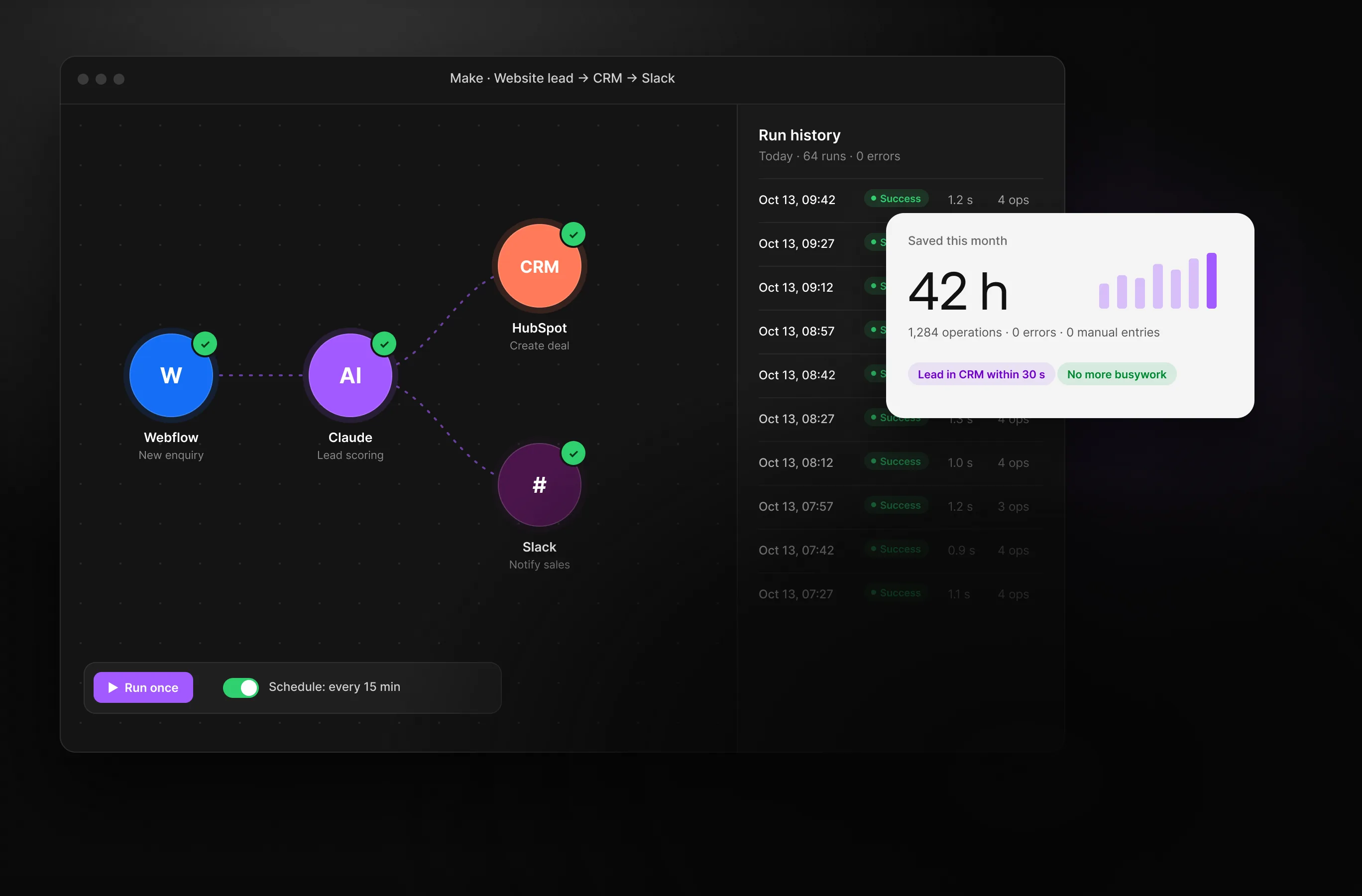
Your website, CRM, Slack, Notion, spreadsheets and accounting software share the information they need, without manual copying.
2
An immediate response to every lead
A form, chat or enquiry automatically triggers a notification, assignment and follow-up.
3
Reports that put themselves together
Data from your tools comes together in one dashboard or a summary in Slack.
4
Let automation handle the routine
Recurring tasks, checks and data transfers run in the background. Your team focuses on clients, not spreadsheets.
5
Know about errors before they become problems
We set up transfer checks and failure alerts. Your team knows what went wrong and where to step in.
6
Processes that don't live in one person's head
We document how the integrations work and train your team. Managing automation no longer depends on one person's availability.
A transparent process

Process mapping
We go through your team's daily and weekly work together and identify where time gets lost.

Automation design
We map how data will flow between tools and agree on priorities and scope for the first round of automation.

Integration and testing
We build the workflows, test them with real data and fine-tune them until they run reliably.

Handover and monitoring
We train your team, provide documentation and set up monitoring so you know when something needs attention.
1
Connect the tools you have
Your website, CRM, Slack, Notion, spreadsheets or accounting software. We connect what you use without changing your stack.
2
AI where it makes sense
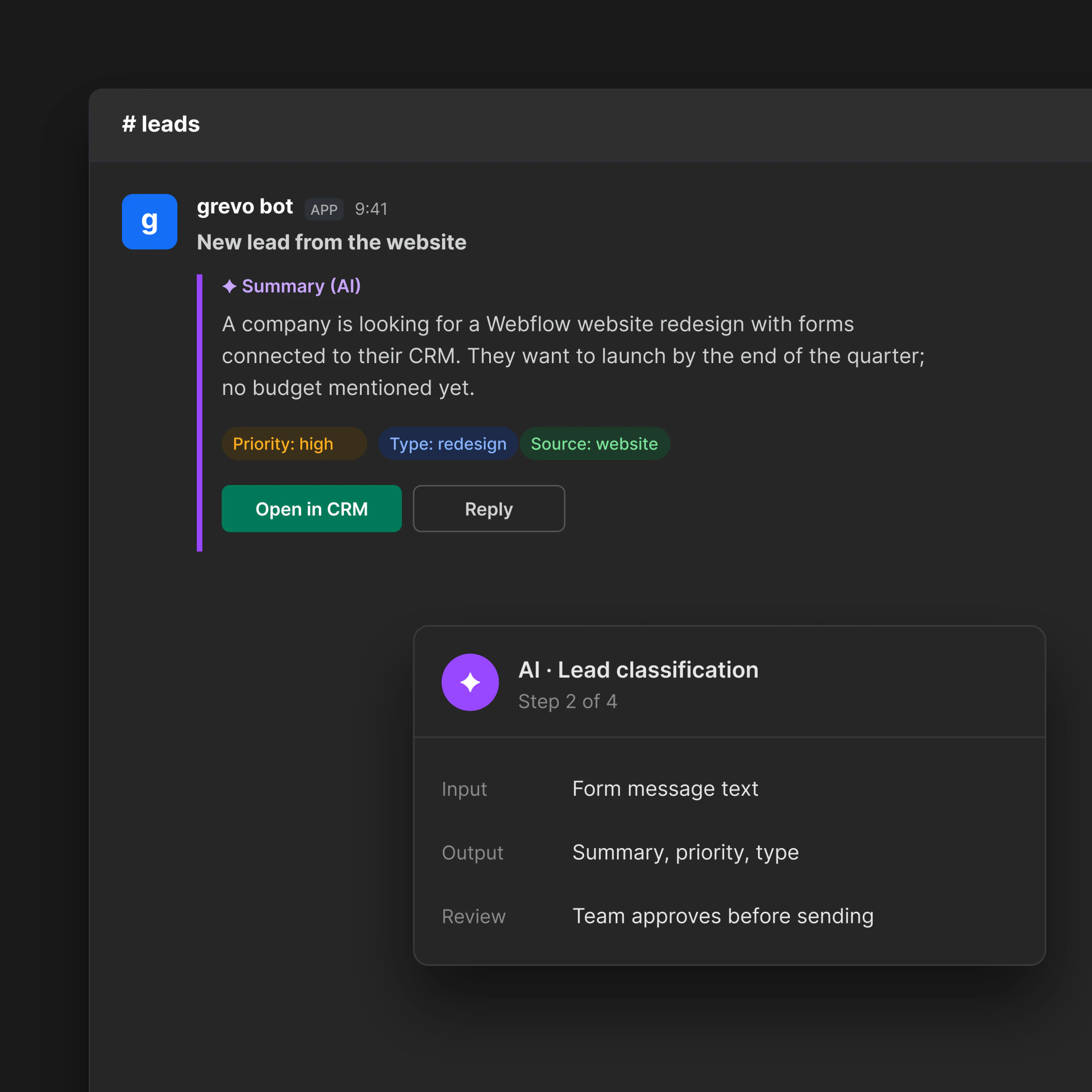
We use AI for classification, summaries and drafts. Automation handles the routine, and your team reviews the results.
3
Documentation and monitoring
You get a clear overview, documentation and alerts when something goes wrong.

Frequently asked questions
What is business process automation?
Automation replaces manual data transfers between systems. Your website, CRM, email marketing, accounting software, Slack or Notion exchange information automatically. Your team can focus on valuable work instead of copying data between spreadsheets.
How much does process automation cost?
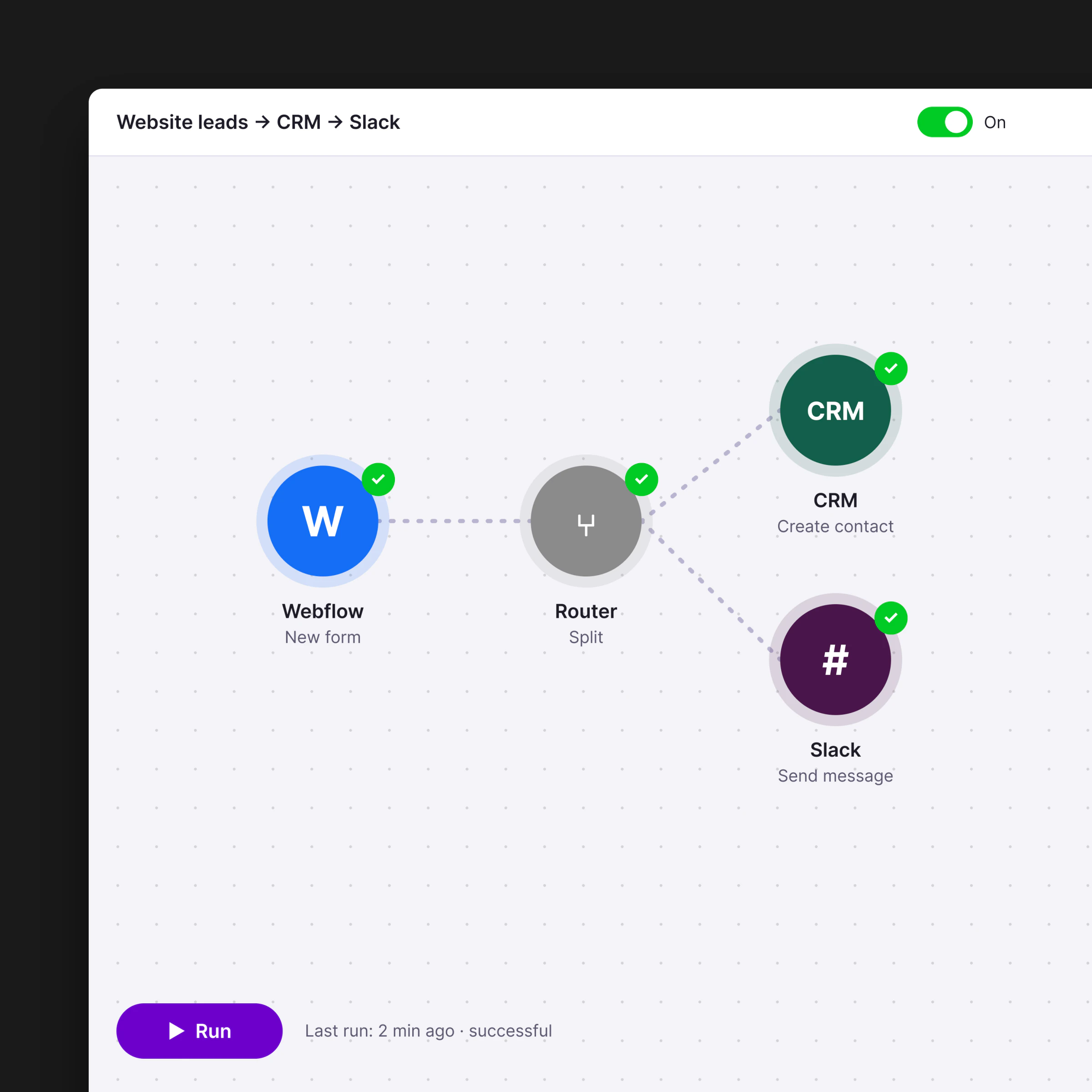
The cost depends on the number of connected tools and workflow complexity. Basic automation, such as connecting a form to a CRM and Slack, starts at a few thousand CZK. Complex workflows with AI and multiple systems cost more.
Which automation tools do you use?
We use Make (formerly Integromat), Zapier, n8n and custom scripts. We connect CRMs such as HubSpot, Pipedrive and Salesforce, communication tools such as Slack and Teams, plus Notion, Airtable, Google Workspace and accounting software.
Can I automate leads from my website?
Yes. It's one of our most common automations. A website form, enquiry or chat can automatically assign a lead to a salesperson, send a Slack notification, create a CRM record and start a follow-up sequence. The customer gets a prompt reply while your team focuses on other work.
Do you use AI in your automations?
Yes. We use AI for lead classification, call summaries, reply drafts, document data extraction and personalised communication. We use OpenAI, Anthropic Claude and other models depending on the task.
How do you implement automation?
First, we map your processes and identify useful opportunities. We design the workflows, build the automation, test it with real data and provide documentation and monitoring. We train your team to use and adjust the workflows.
We think, design and develop.

Custom Web Development
We'll build your website from the initial analysis through launch, integrate it with your tools, and hand it over so that anyone on your team can manage it.

Web Design That Builds Trust
We build our website design around a clear hierarchy and brand. Clients can see where to click and know why they should trust your brand.

Do you have an outdated web solution?
Move to a platform that won’t hold you back. We migrate your content, structure and SEO rankings. The result is a faster, more secure website that’s easier to manage.

Are you building your own brand from scratch?
Branding that brings your brand and communication together. We create identities that work both online and offline, from logos to print materials.

Outsourcing agency clients
Have your own clients but not the capacity to take on more work? After years of freelancing, we know how agency processes work. We handle the entire delivery and prepare everything under your brand. Discreetly and to a high standard.