



Why your current platform is holding you back
Six obstacles we see most often before a website migration.
1
Costly maintenance and development
Editing a page or adding content requires a developer. Growth becomes slower and more expensive.
2
Website security is entirely on you
No platform guarantees and no support when an attack happens. Breaches, leaks and downtime become your problem.
3
A slow website means lost customers
Up to 53% of visitors leave if a website doesn't load within three seconds.
4
Worried about losing your search rankings
Your website brings in customers, and you don't want to lose them during a move. Without a plan for URLs and content, every change feels risky.
5
Content scattered across your website
Pages, images and documents have built up over years. Moving them manually takes hours and risks leaving something behind.
6
A platform that gets in the way of your plans
You need a new language, section or tool integration. Your current setup turns every step into a separate project.
What a move to a modern platform gives you
A platform that grows with you. Fast, secure and ready for anyone on your team to manage.
1
Edit content without coding
Edit text and images right in your browser. No code, no developer and no waiting in a queue.
2
Security, hosting and backups covered
Certified security and automatic backups. Protection and hosting are built into the platform.
3
Speed that keeps customers with you
Fast loading for your customers, wherever they're visiting from.
4
Keep SEO under control during the move
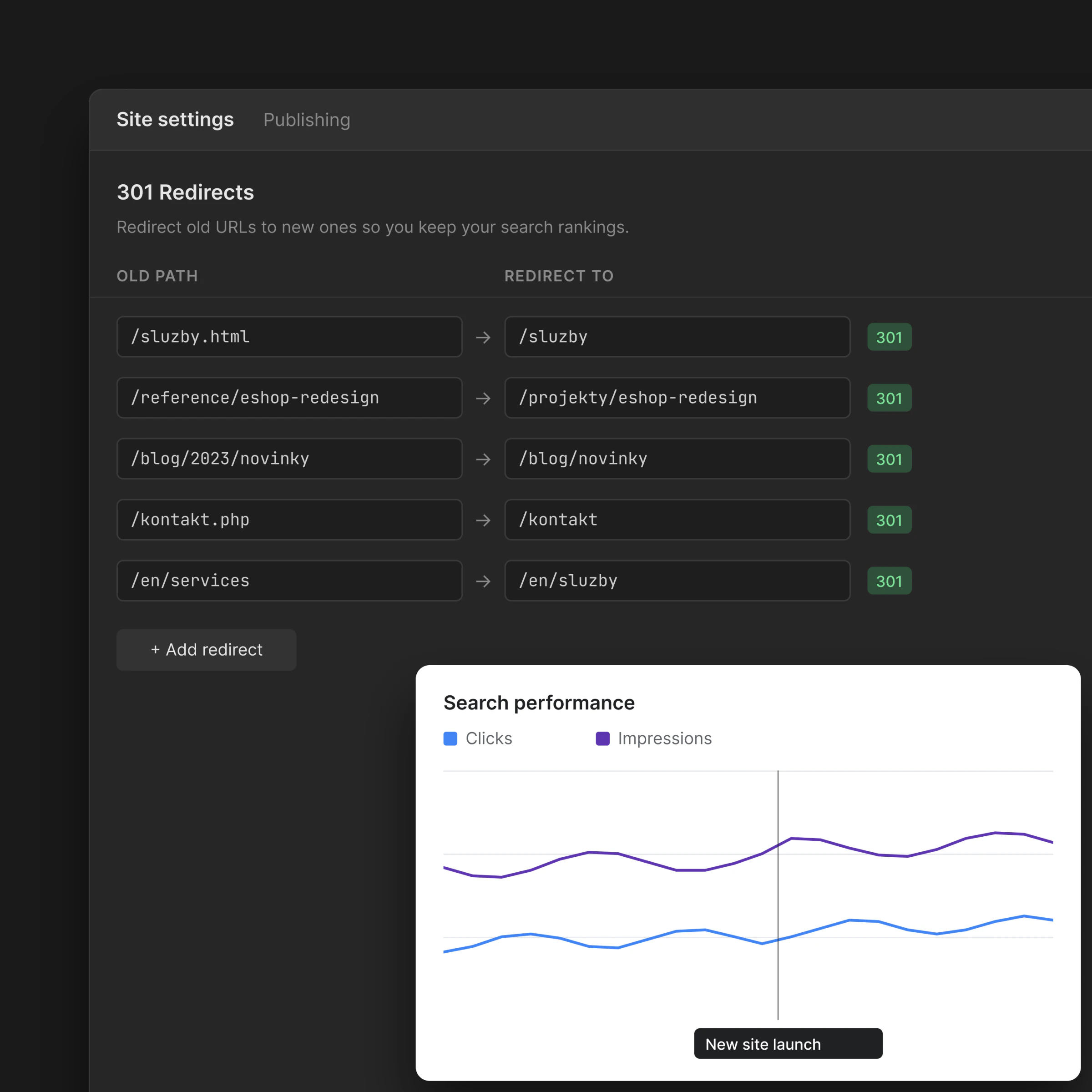
We map URLs, transfer metadata and prepare redirects. After launch, we check page availability and indexing.
5
Content migration without the manual chaos
We take stock of your pages, data and media, then plan their transfer. Before launch, we check that everything is where it belongs.
6
Room for further development
We build the new structure around your future plans, with a clear foundation for adding content, languages and integrations.
A transparent process

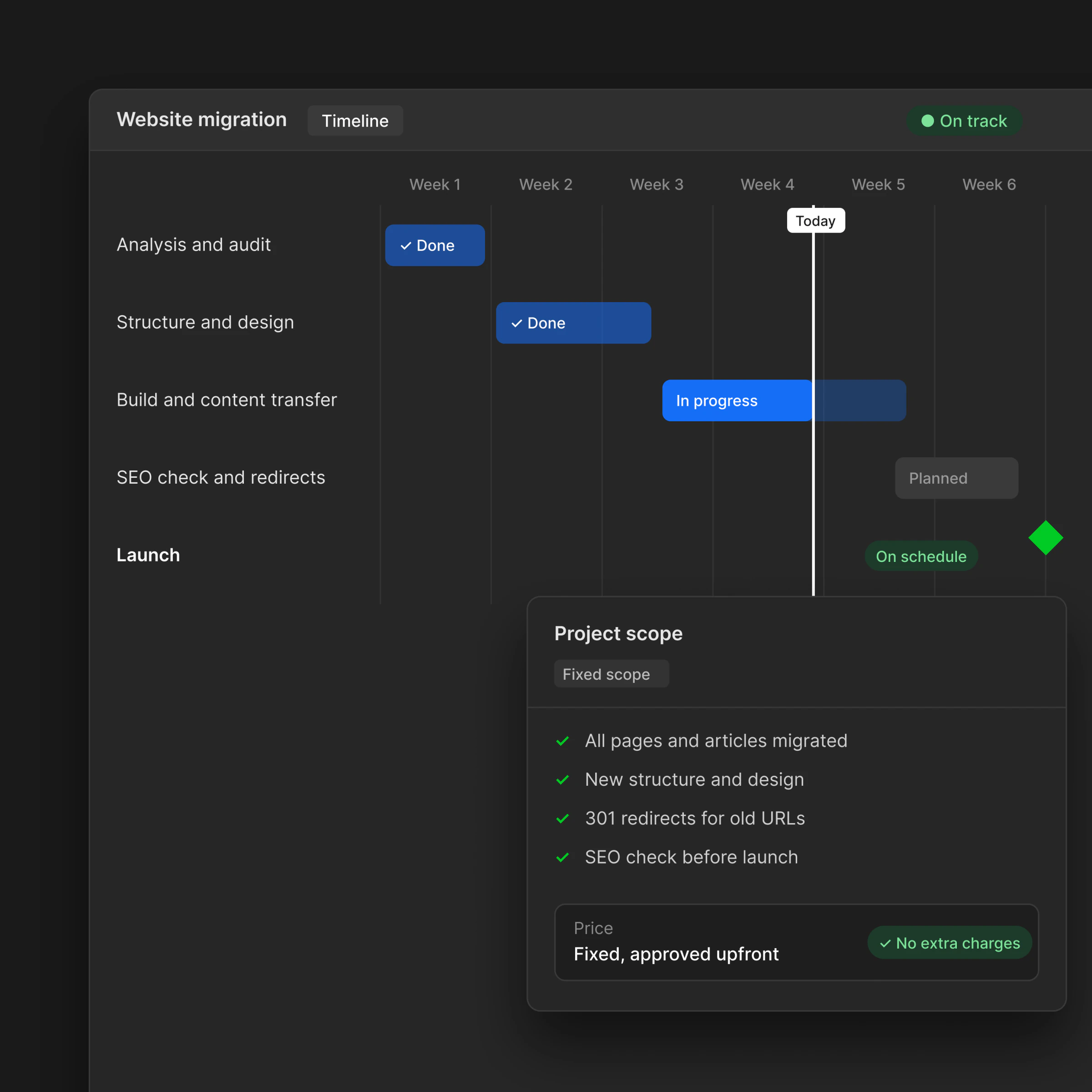
Audit
We review your content, structure and SEO, then decide what to move, what to improve and what to leave behind.

Planning
We prepare a sitemap, redirect plan and migration schedule, covering the steps that matter for Google and AI search.

Migration
We transfer your content, switch the CMS and rebuild your website to work better on its new platform.

Launch
We oversee the DNS switch, check redirects and train your team to manage the new website.

1
Protect your search rankings
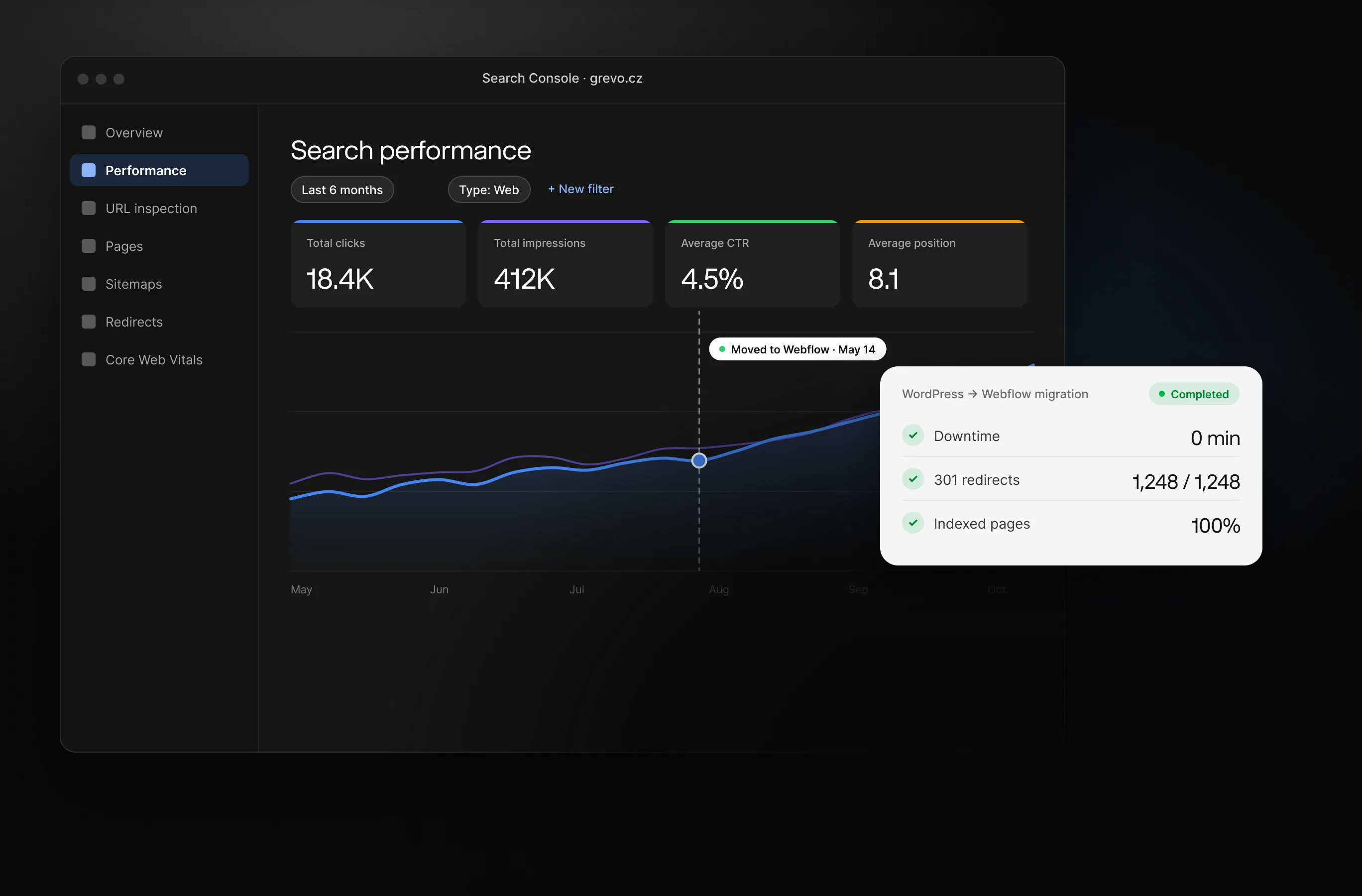
We transfer metadata, redirects and URL structure to preserve your visibility in Google and AI search.
2
Migration without downtime
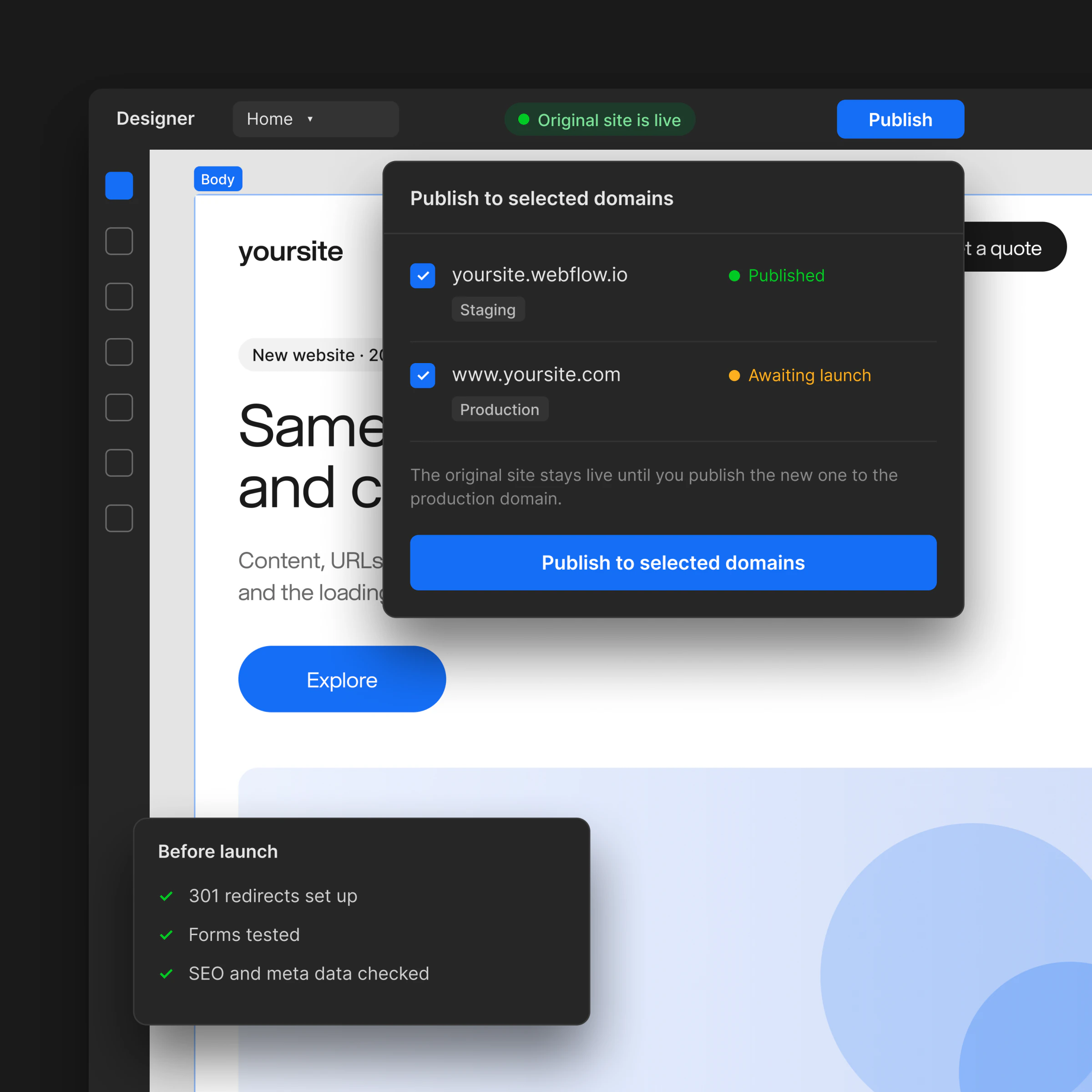
Your website stays live throughout the move. We only launch the new version once everything has been checked and tested.
3
A fixed price and a clear deadline
We agree on the scope at the start. No hidden costs or shifting deadlines.
Frequently asked questions
How does website migration work?
Migration starts with an audit of your content, structure and SEO. We transfer text, images, content, metadata and redirects to help preserve your Google rankings. After launch, we set up monitoring and train your team to manage the website.
Will I lose my search rankings during migration?
A well-planned migration is designed to protect your rankings. We transfer metadata, URL structure, 301 redirects, the sitemap and structured data, then check how the new website is indexed. Search rankings can fluctuate during a migration, so we monitor them after launch.
Which platforms do you migrate from and to?
We migrate from WordPress, Squarespace, Wix, Shopify, Drupal, Joomla, HubSpot and custom solutions. We choose the destination based on your needs, budget and growth plans. Most often, we move websites to Webflow, Framer, Sanity or a headless setup.
How much does website migration cost?
Migration costs depend on the amount of content, CMS complexity and number of integrations. Smaller business websites start in the lower tens of thousands of CZK. Larger websites with hundreds of pages and CRM or ecommerce integrations cost more. We'll prepare an exact quote after the audit.
Will my website be offline during migration?
We build the new version in parallel on a test domain. The DNS switch only happens once everything has been checked, keeping the current website available throughout the move.
How do you choose the right platform for my new website?
We choose the platform based on your content, management needs, performance requirements and growth plans. We consider whether you need a marketing website, an online store, a portal with user accounts or a headless solution, then recommend the best fit for your business.
We think, design and develop.

Custom Web Development
We'll build your website from the initial analysis through launch, integrate it with your tools, and hand it over so that anyone on your team can manage it.

Web Design That Builds Trust
We build our website design around a clear hierarchy and brand. Clients can see where to click and know why they should trust your brand.

Are you building your own brand from scratch?
Branding that brings your brand and communication together. We create identities that work both online and offline, from logos to print materials.

Management, automation, and maintenance
We take care of websites long-term. We connect your website with the tools you use, and when you need to strengthen your team, we step in as a designer or developer directly under your brand.

Outsourcing agency clients
Have your own clients but not the capacity to take on more work? After years of freelancing, we know how agency processes work. We handle the entire delivery and prepare everything under your brand. Discreetly and to a high standard.